Start with connected data
Bring financial and operational records together across accounting, purchasing, payroll, inventory and orders.
KIVU is an AI-first accounting and ERP solution for SMBs globally. Bring finance, purchasing, payroll, inventory, orders and reporting together, with AI at the core and a team behind your business.
AI is central to how KIVU approaches the back office. From daily transactions to business decisions, KIVU brings an AI-first approach to accounting and operations across one connected platform.
The KIVU Assistant helps users navigate the platform and understand setup, transaction entry and reporting. Browse or search topics across finance, purchasing, inventory, people, payroll and more.
Practical help, inside the application. ↗Bring financial and operational records together across accounting, purchasing, payroll, inventory and orders.
Make AI part of how you approach everyday finance and operations, alongside the processes your business depends on.
Bring dashboards, Data Explorer and financial reporting into the same business context.
Pair AI-first software with implementation, training, support and scoped back-office services.
Bring an invoice, a reconciliation or a management report. Ask us to demonstrate the AI capabilities available for your workflow, how the work is reviewed and what is included in your proposal.
Explore AI-first KIVU ↗Every extra handoff is another place for a missing invoice, an unexplained balance or a delayed decision. KIVU brings the core work together.
Connect the ledger, receivables, payables, banking and operations. Investigate the transaction behind a balance instead of rebuilding the story in a spreadsheet.
Bring invoice approvals, requisitions, card activity and employee expenses into visible workflows with clear owners.
Follow purchase orders, receiving, returns, matching and landed cost alongside inventory and payables.
Get implementation, training, support and scoped back-office assistance from the team behind the platform.
Use approved time, pay runs and GL posting rules in the same platform. Investigate the payroll-to-ledger connection without an isolated payroll spreadsheet.
Use module-based lists, saved views and financial definitions to investigate data and shape reports around the business.
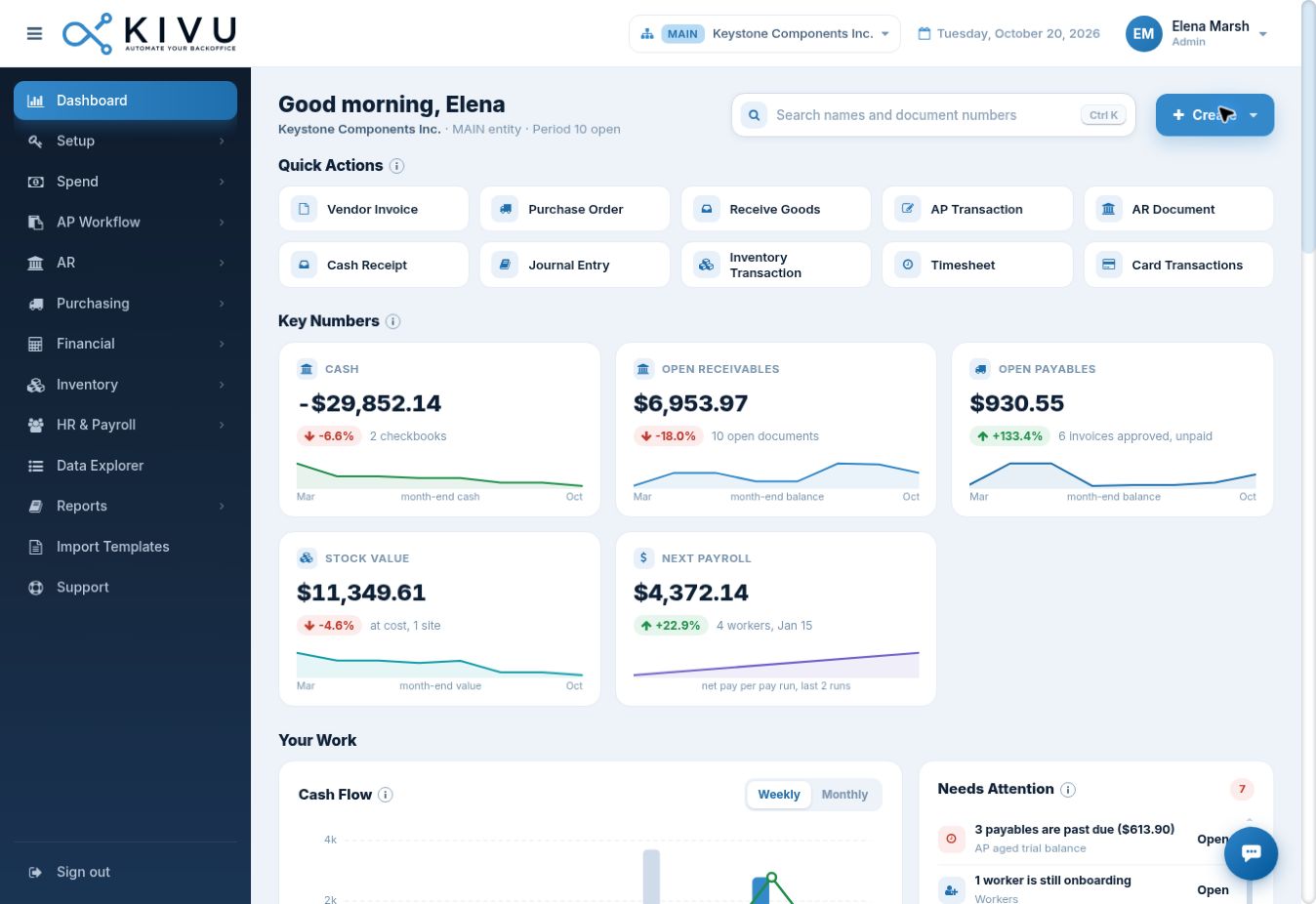
See cash, receivables, payables and stock value, then act on overdue balances, failed invoice dispatch, unposted journals and inventory work. The dashboard connects the numbers to the next task.
Review financial balances and trends without collecting separate exports.
Surface overdue balances, dispatch exceptions and unposted work.
Open the relevant workflow or use quick actions for orders, receipts and journals.
Handle the recurring work, the exceptions and the next decision in the same business platform.
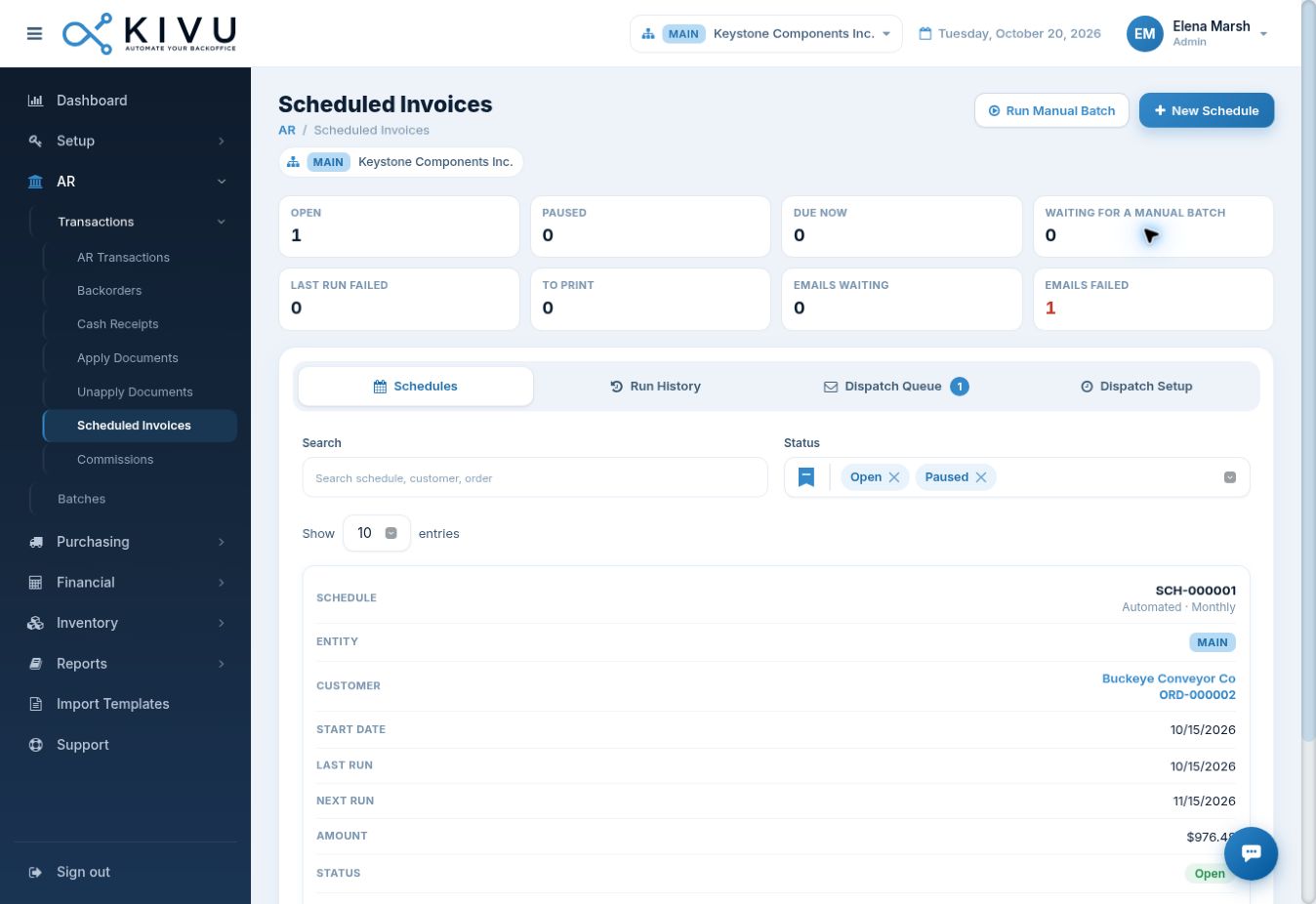
Schedule recurring customer invoices. Review next runs, run history and the dispatch queue, including emails that need attention.
Use scheduled vouchers for recurring supplier obligations, with schedule status and run history in view.
See waiting, partly allocated and ready-to-ship backorders, then identify the orders ready to invoice.
Track earned commissions and clawbacks in a ledger, with approval, voucher and payment status—not a disconnected payout spreadsheet.
Keep customer follow-up, everyday product guidance and recruiting connected to the business platform your team already uses.
Review aging, days sales outstanding (DSO), collection effectiveness (CEI), broken promises and tasks due. Open a customer workspace to review documents, promises to pay, disputes and communications.
Use a collector work queue with due dates, task status, snooze and reassignment controls. Configure collection playbooks, communication templates and collector routing, and review run history.
Manage requisitions with department, pay range, approval and status. Review applicants in board or list views, with source, resume, rating and stage information.
Explore the accounting and operational workflows within KIVU’s AI-first ERP platform. Keep the work and the business data together as your requirements grow.
Connect journals, receivables, payables, banking and period close. Follow the operational work behind the balance instead of rebuilding it in another spreadsheet.
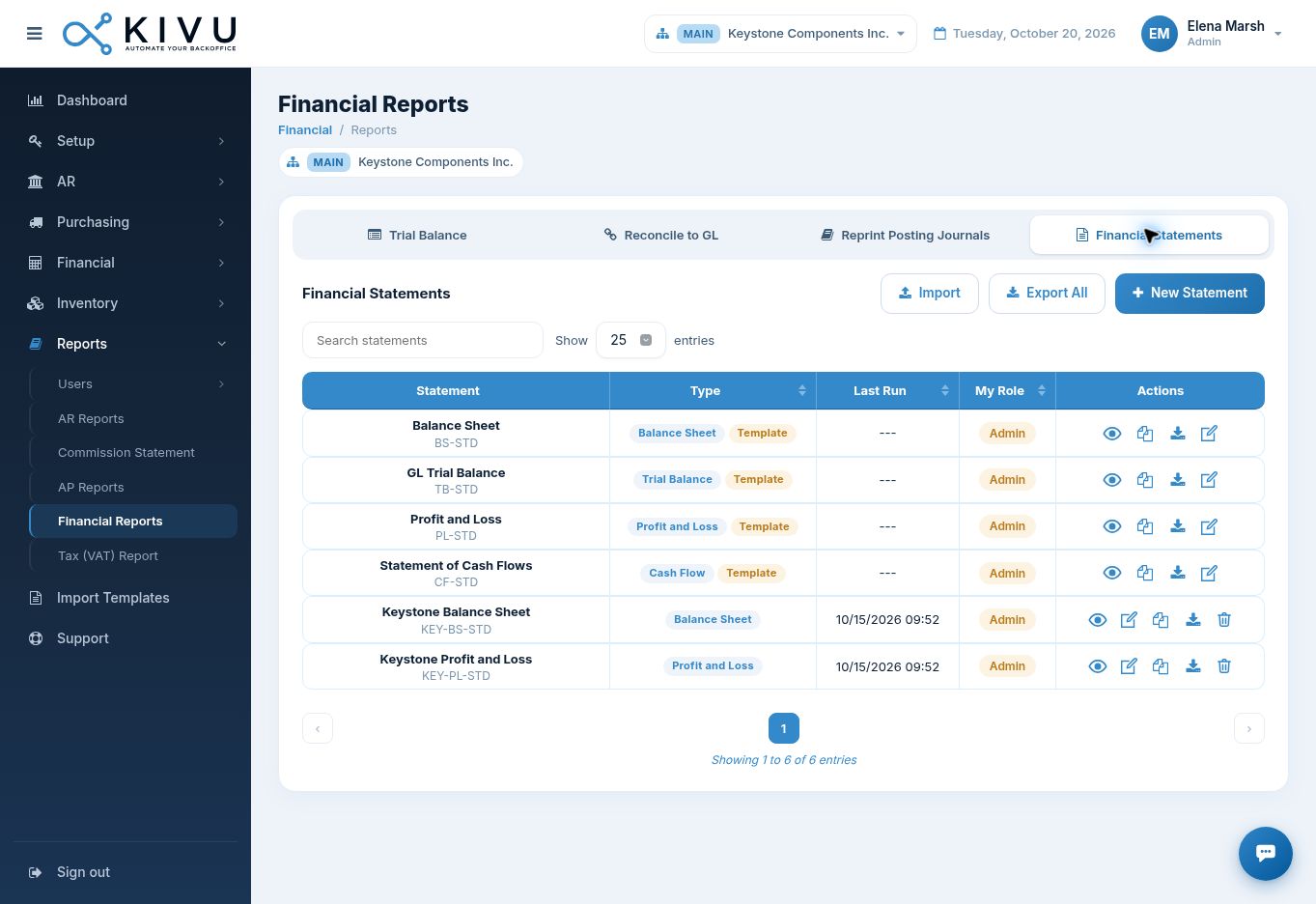
See invoices by approval status, batch, owner and vendor. Connect purchasing, receipts, invoice matching, landed cost and supplier payments.
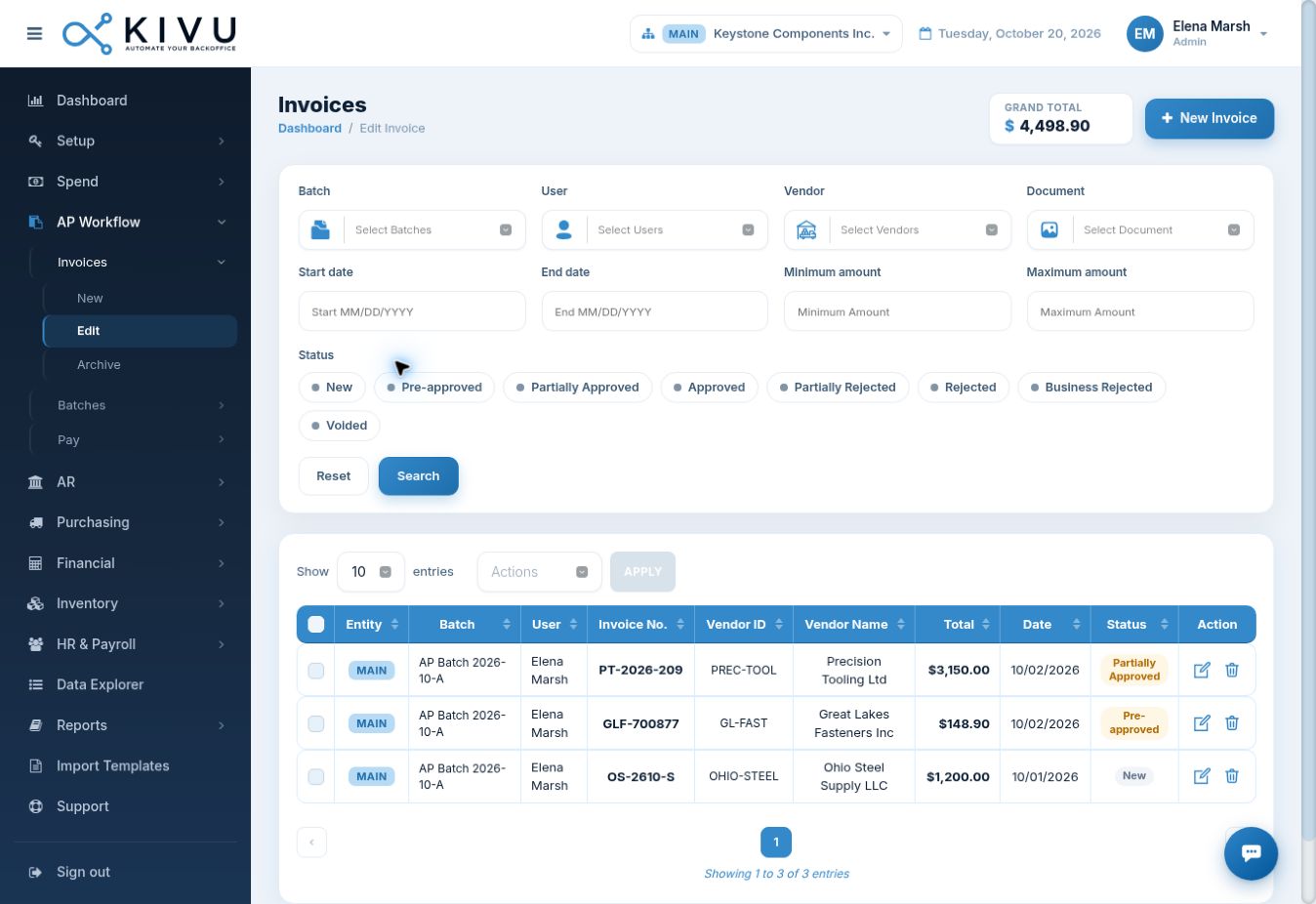
Bring worker administration, approved time and pay runs together. Use the GL posting matrix to map payroll earnings, deductions and liabilities into accounting.
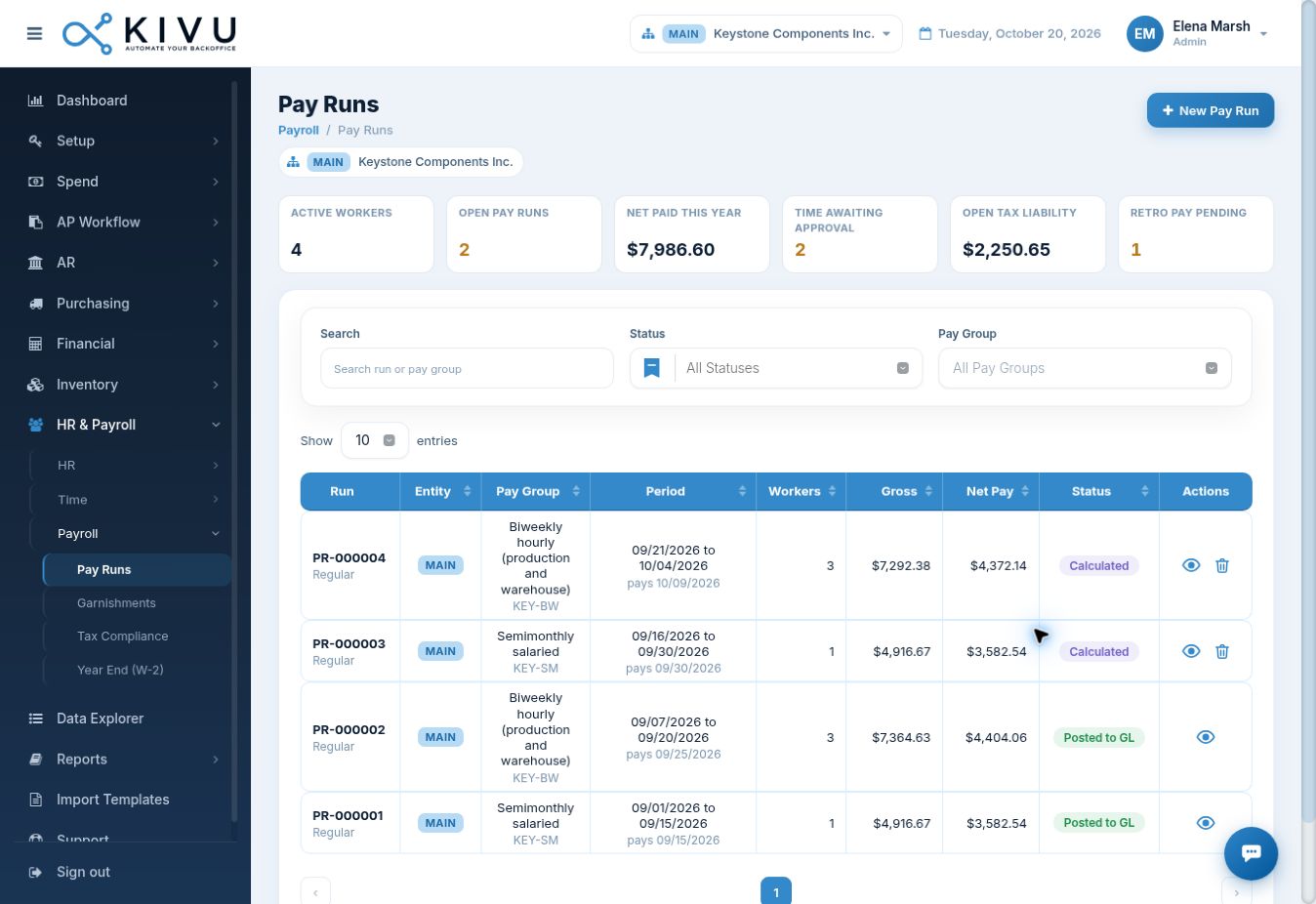
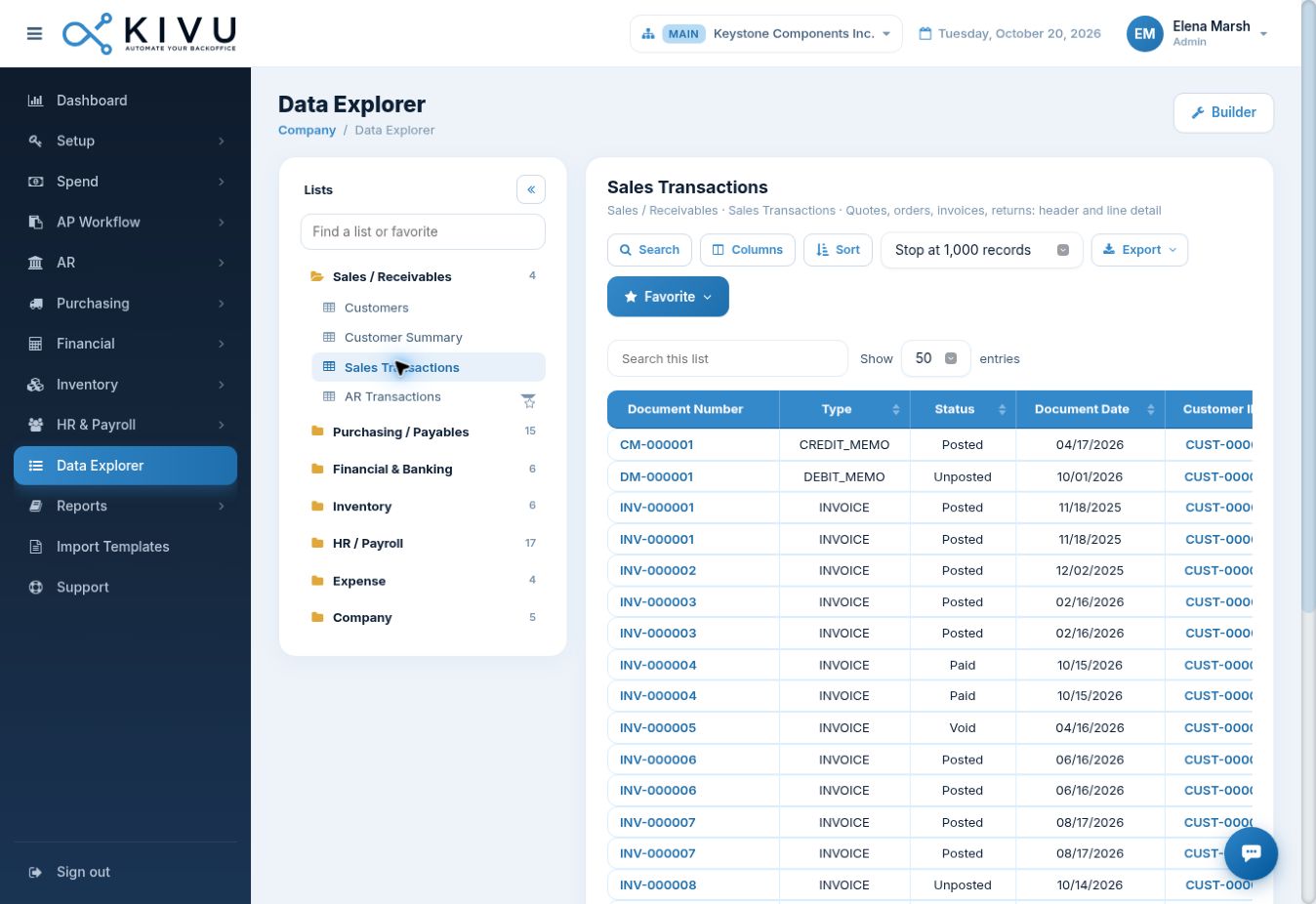
Explore operational lists across finance, purchasing, inventory, people and expenses. Shape financial statements with row, column and tree definitions.
Connect customer documents, backorders, recurring invoices, collections and commissions with the same accounting environment.
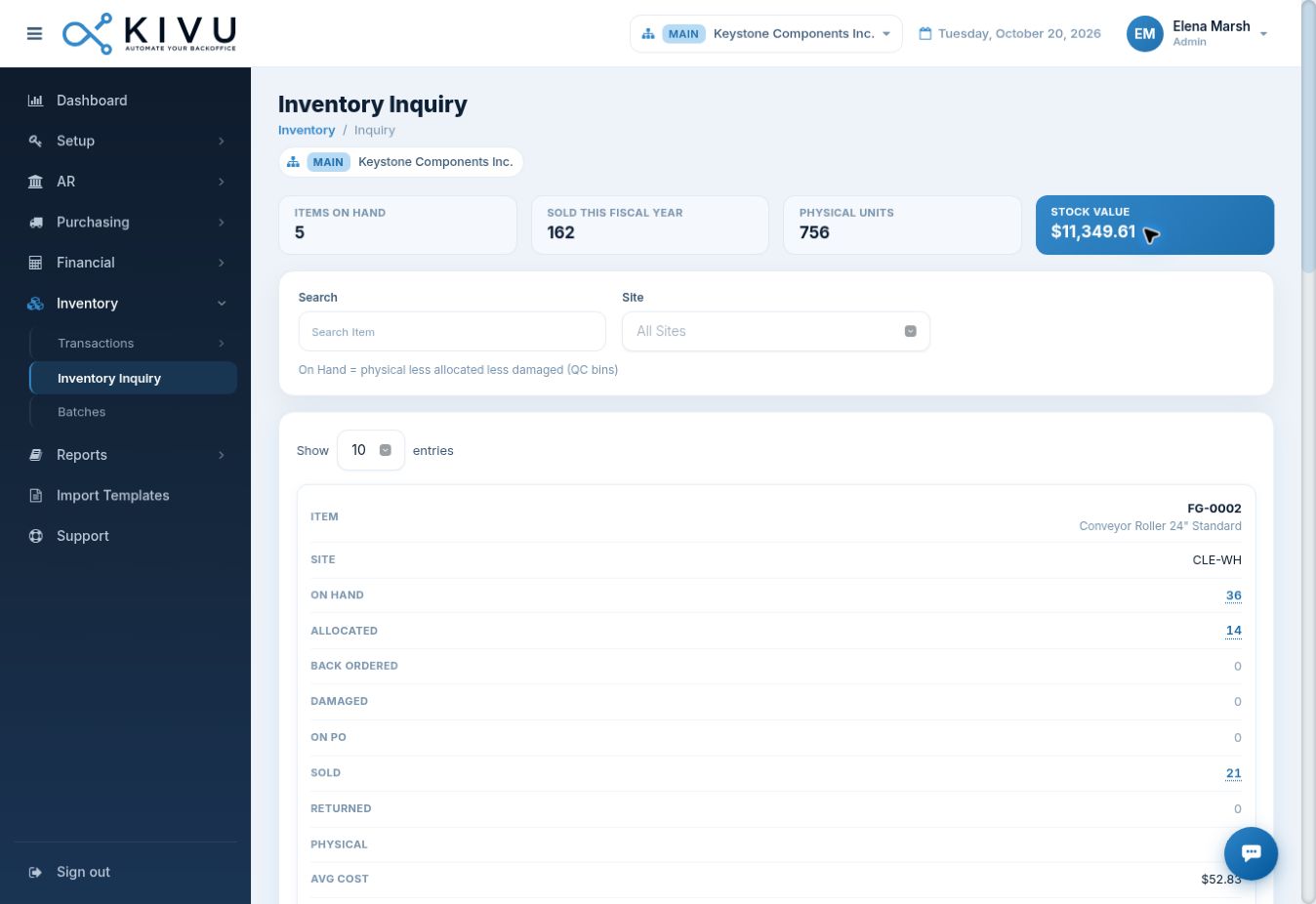
See physical and available quantities by site, what is allocated, what is damaged and what is on order. Bring inventory decisions closer to their financial impact.
Bring travel and expense workflows and card activity into your back office. Review transaction status and report context alongside the rest of your financial work.
Maintain budgets and forecasts by fiscal year and entity, and review assets, acquisition cost, accumulated depreciation and net book value in the same platform.
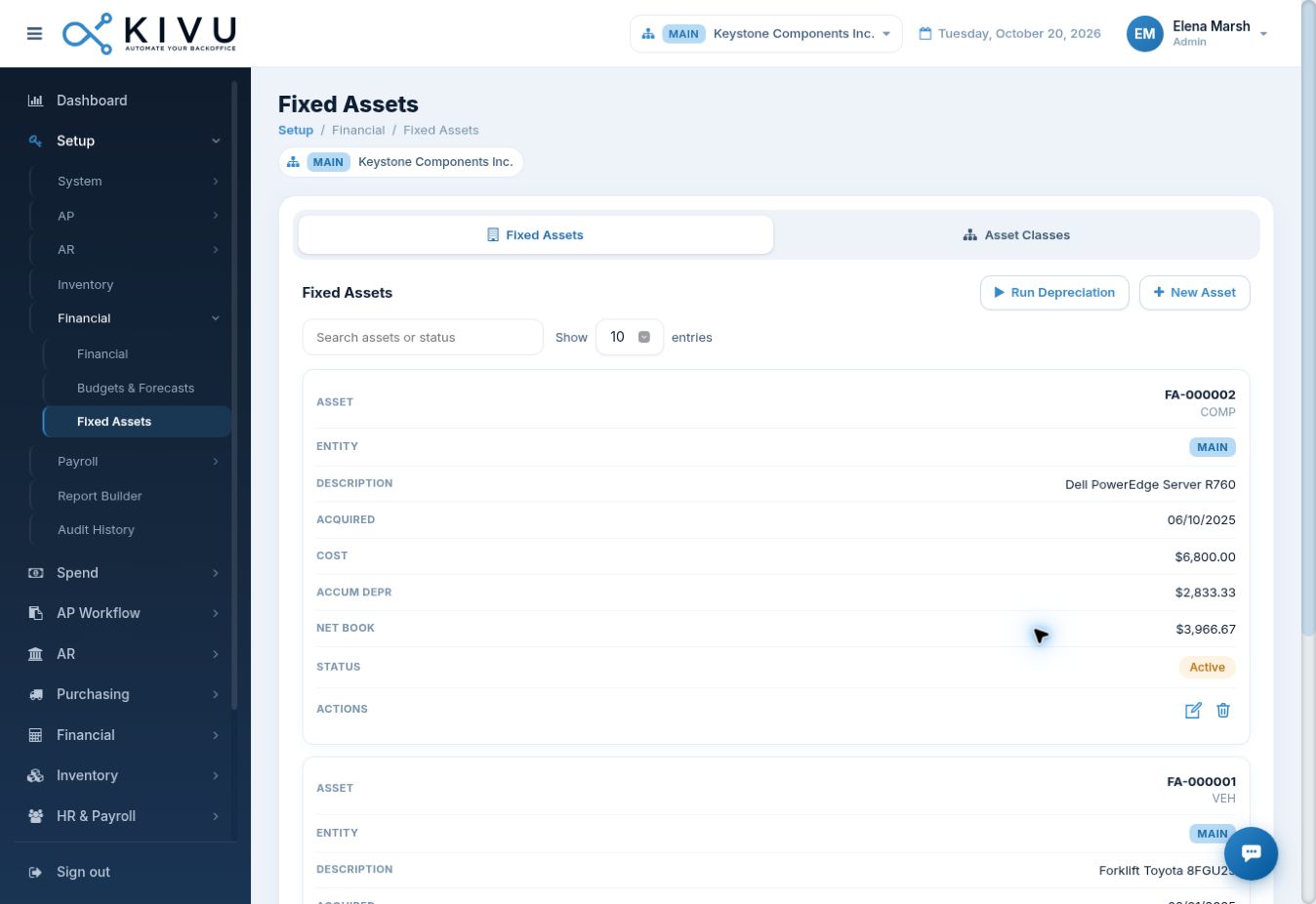
Actual KIVU product screen · account shown for demonstration
Your proposal confirms modules, service responsibilities and local payroll, tax and banking coverage.
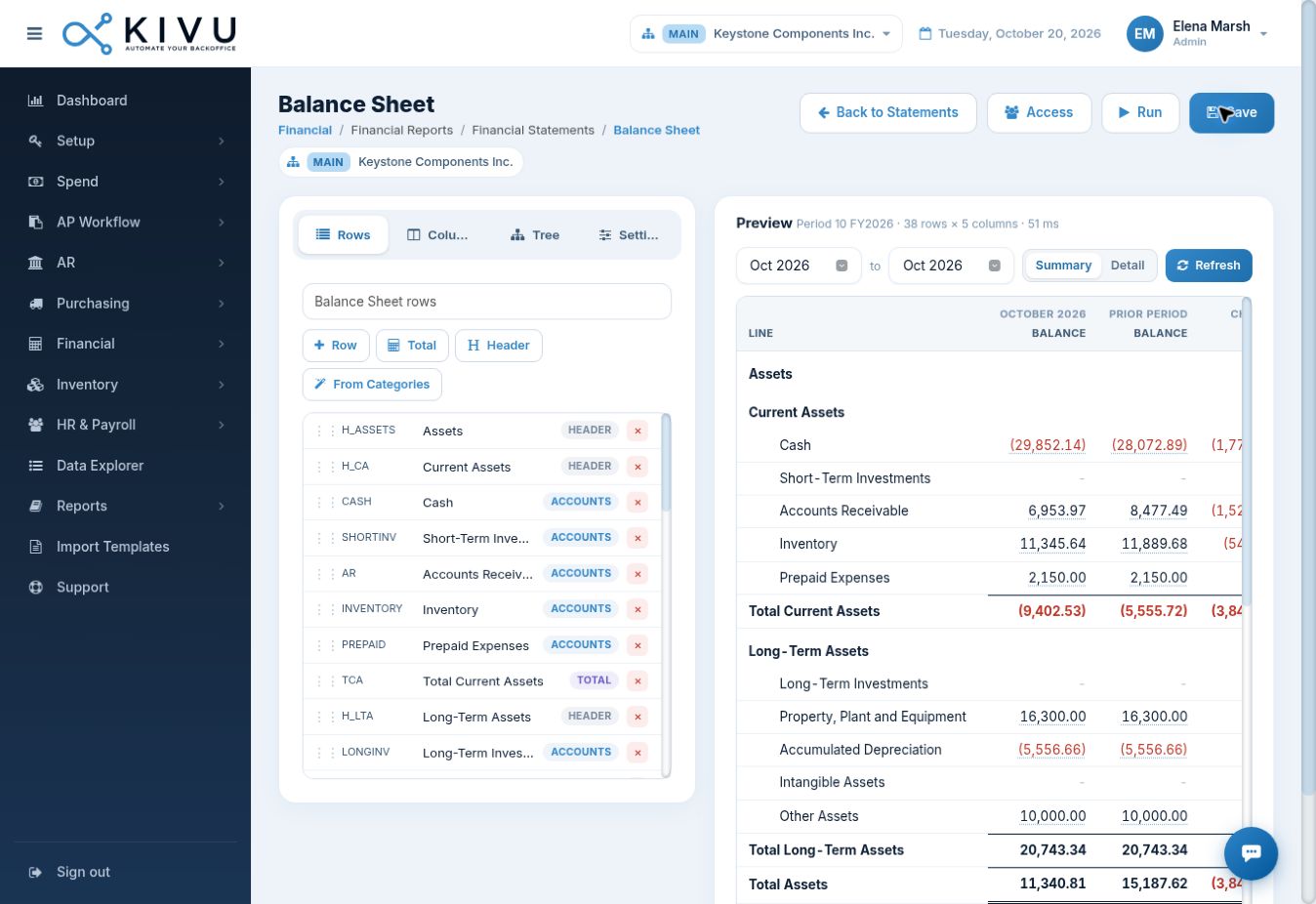
A management pack should reflect how you run the company. KIVU brings financial statement design and data exploration into your ERP.
Choose accounts, line structure and the presentation your finance team needs.
Organize periods, comparisons and the views that make performance meaningful.
Structure reporting around organizational units and management hierarchies.
KIVU combines the platform with human support and white-glove services. Get help with the work that makes the system useful, from setup and reporting to agreed day-to-day back-office tasks.
A connected accounting and ERP foundation.
People who help your team move work forward.
Hands-on help with the heavy lifting.
Your proposal defines the software scope, service responsibilities, support arrangements and ongoing work.
Evaluate your workflows, agree what migrates and reconcile before cutover. Get a clear proposal for software, implementation and ongoing support.
Switch to KIVU →List your systems, entities, users, banking, payroll locations, volumes and specialist requirements. Identify the workflows that must work on day one.
Follow a purchase, an invoice, a receipt, a pay run and a management report. Test exceptions, access permissions and the accounting impact.
Define customer and supplier records, account mappings, opening balances, open documents and required history. Identify cleanup and interfaces before cutover.
Agree acceptance checks for balances, open AR/AP, inventory and payroll where applicable. Train the team, confirm ownership and set a cutover and fallback plan.
Build a durable business foundation early. Expand processes, controls and reporting with a team that understands where you are going.
Establish accounts, suppliers, customers, approvals and reporting. Give a new business a disciplined way to operate.
Add operational workflows, payroll, inventory and entity context. Reduce the need to stitch core processes across separate tools.
Strengthen reporting structures, period close and accountability. Plan capacity, locations and service coverage for your next stage.
The goal is continuity as you grow. Revenue alone does not determine ERP fit: transaction volumes, users, entities, geography and specialized requirements are reviewed in your solution assessment.
Evaluate the whole operating model: AI capabilities in your real workflows, connected accounting and operations, implementation, support and ongoing services.
Which edition, user allowance and operational workflows fit the business you run today?
Vendor information ↗Which entities, reporting structures and service responsibilities are included in the proposed scope?
Vendor information ↗What is the full cost across user types, implementation, extensions and ongoing partner services?
Vendor information ↗Which apps, configuration, localizations and implementation services does your operating model require?
Vendor information ↗Which inventory, reporting and payroll requirements are covered by the proposed products and plan?
Vendor information ↗Do your client billing and project workflows also cover the purchasing, inventory and payroll work you need?
Vendor information ↗Which workflows are covered directly, and which apps or service arrangements complete your operating model?
Vendor information ↗Which modules, users, migration work and ongoing services are included in the complete proposal?
Vendor information ↗Compare the exact edition, operating scope and service proposal. These questions are an evaluation guide, not a claim that a competitor lacks a feature.
A full accounting and ERP platform, paired with support and white-glove services—one team to discuss the software and the operating work. Ask us to demonstrate your workflows and propose the full service scope.
Map your current books, workflows, users, entities and bottlenecks. Identify what needs to work first.
Set up agreed processes, prepare migration, train your team and validate representative transactions and reports.
Go live with support and agreed services. Review what changes as your company grows.
Explore white papers and illustrative industry scenarios for manufacturing, distribution and professional services.
Industry-specific workflows, pain points and white-glove service scenarios for businesses that need accounting and operations to work together.
Partial deliveries, freight costs and supplier invoices come together in one purchase-to-pay workflow.
Read case study →A shared view of inventory, replenishment and receivables helps distributors investigate delayed orders and outstanding balances.
Read case study →Travel expenses, supplier bills and payroll posting share a financial structure that management can understand.
Read case study →Contractors gain a more organized trail for materials, employee expenses, approvals and financial reporting.
Read case study →Retail operators can review inventory, payables, expenses and banking within a more consistent back-office process.
Read case study →A young business can establish accounting, approvals and reporting early, then plan added workflows as complexity grows.
Read case study →Illustrative scenarios, not named customer stories or verified results.
Bring an invoice, a reconciliation or a management report. Ask us to demonstrate the AI capabilities available for your workflow, how the work is reviewed and what is included in your proposal.
Review aging, days sales outstanding (DSO), collection effectiveness (CEI), broken promises and tasks due. Open a customer workspace to review documents, promises to pay, disputes and communications.
Trace a purchase order through receiving, invoice matching, landed cost and payment review.
Review inventory availability, allocations and backorders alongside customer documents.
Review unposted transactions, bank reconciliation, period controls and financial statements.
Open the KIVU Assistant inside the portal to ask where to go or how to complete a workflow. Its searchable topics cover setup, transactions and reports across KIVU modules, helping users find guidance while they work.
KIVU is positioned around AI Accounting and ERP for SMBs globally. AI is central to the platform approach across finance and operations, supported by connected business data and expert services. Your demo and proposal confirm the specific AI capabilities, review steps and scope available for your business.
Yes. KIVU brings general ledger, AR, AP, purchasing, inventory, payroll, spend, fixed assets, banking and reporting into its platform. Your demonstration confirms the workflows and scope relevant to your company.
That is the growth vision: begin with a strong foundation and expand the operating scope as requirements develop. We review capacity, users, entities and specialized needs rather than promising unlimited scale based on revenue alone.
KIVU keeps core finance and operational functions together to reduce avoidable system handoffs. Banks, tax services and specialized external systems may still require connections; these are identified during scoping.
Software, support and white-glove help are combined in your proposal. The agreed scope can cover implementation, training, reporting setup and ongoing back-office tasks. Responsibilities, deliverables and service levels are specified before work begins.
KIVU supports row, column and reporting tree definitions, alongside financial statement templates and Data Explorer views. Bring a report you use today so we can demonstrate how it would be structured.
Entity context is available in the platform. Currency, payroll, tax, banking, language and data-hosting requirements must be assessed market by market. Website translations do not imply the same coverage in the ERP.
Migration planning is part of the white-glove service discussion. We review source data, history, account structures, reconciliation, cutover and required interfaces before agreeing a migration plan.
See KIVU through your own workflows. Let’s talk about the software, support and services that will help you run efficiently.